
Case Study 1:
Tutor Lesson Planning App
About
ThinkDesk is an online platform designed to empower self-employed tutors. Most platforms focus on student bookings, but ThinkDesk targets the "hidden" workload: lesson planning, resource management, and community connection.
The Problem
Tutors are "time-poor." Most charge by the hour for student-facing time, meaning any hours spent on lesson prep effectively reduce their hourly income.
Task
The task was to conduct research and create a streamlined web app that allows tutors to create, share, and manage lesson plans and resources quickly and efficiently. This was different to the original brief of creating an online booking system, however after the research I decided to change the brief to meet the users needs.
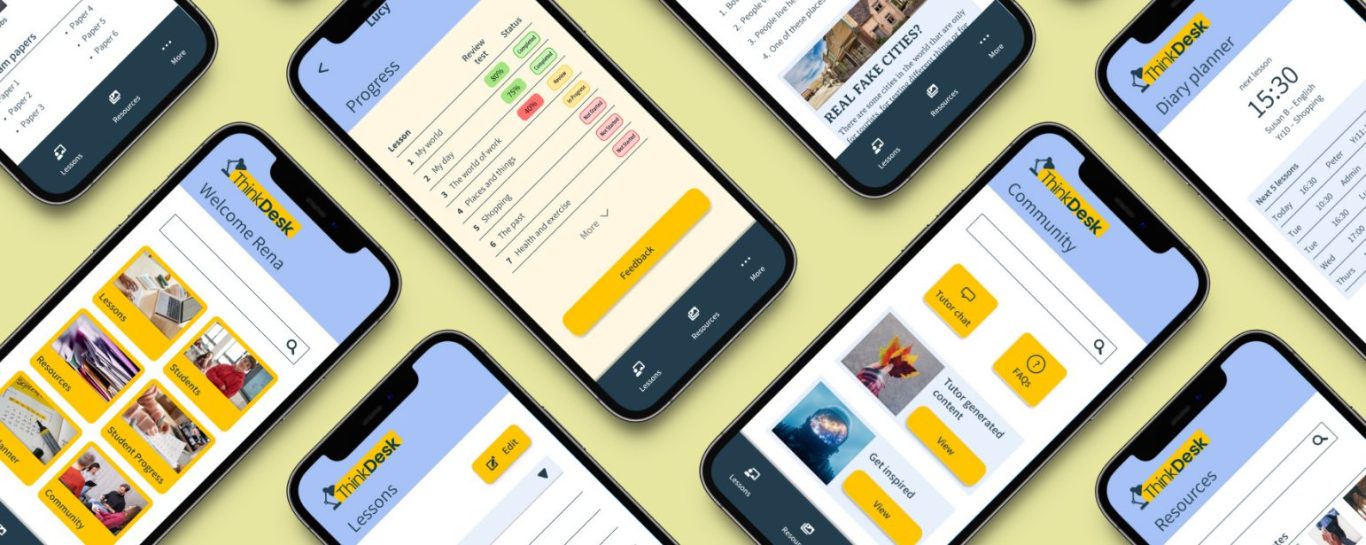
Persona
By understanding the pain points and needs of the users, ThinkDesk was able to address their specific challenges, providing them with efficient and user-friendly solutions for creating and managing lessons.
Using the research insights, I defined the core challenge "the job to be done" in to: When I plan a new lesson for a student I want to quickly review their progress and find relevant resources or lessons in order to create a relevant lesson for them, in a cost and time efficient way for me.
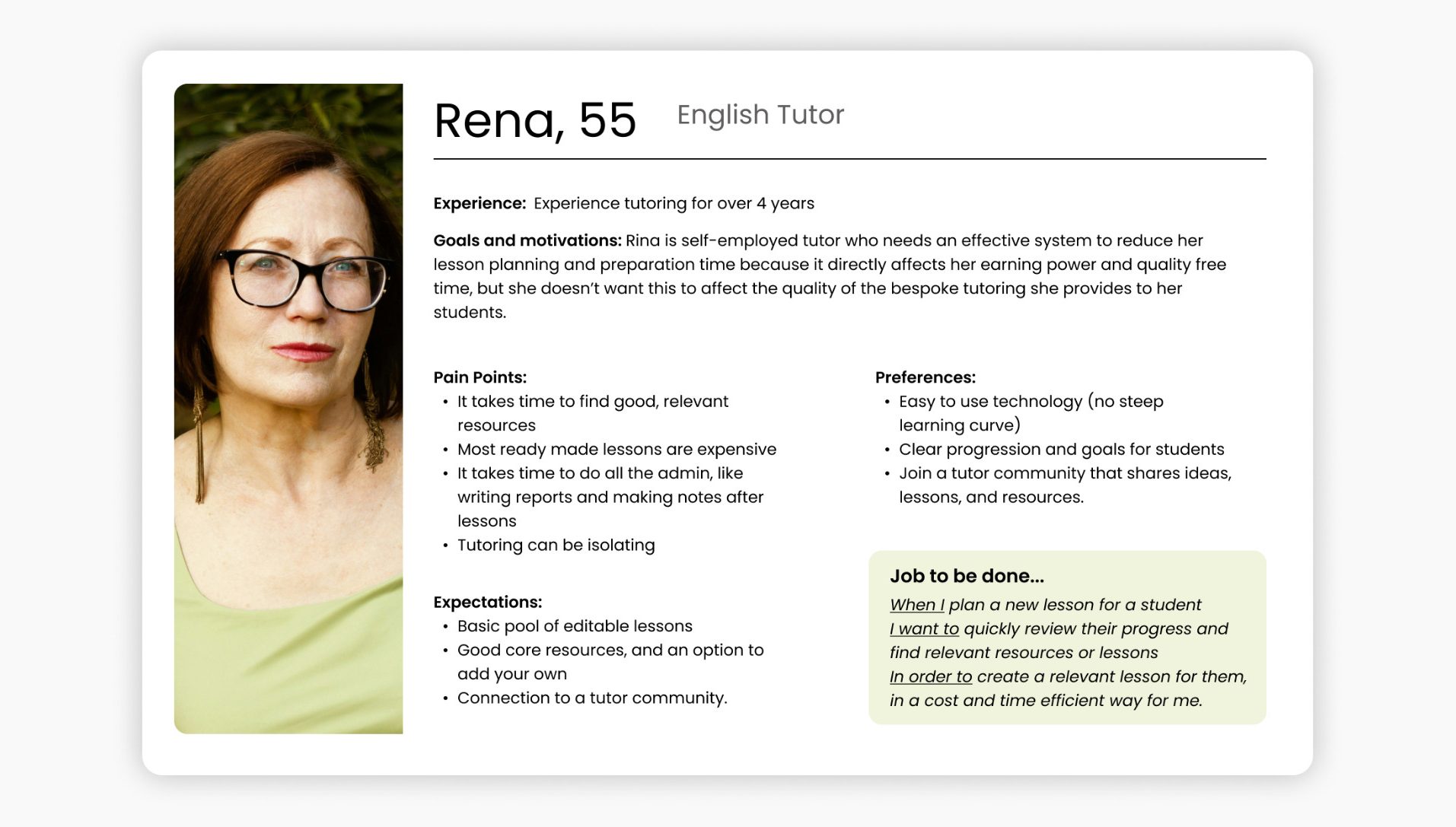
User flow
I’ve only highlighted the steps I have taken, however the complete user flow would be much more extensive.
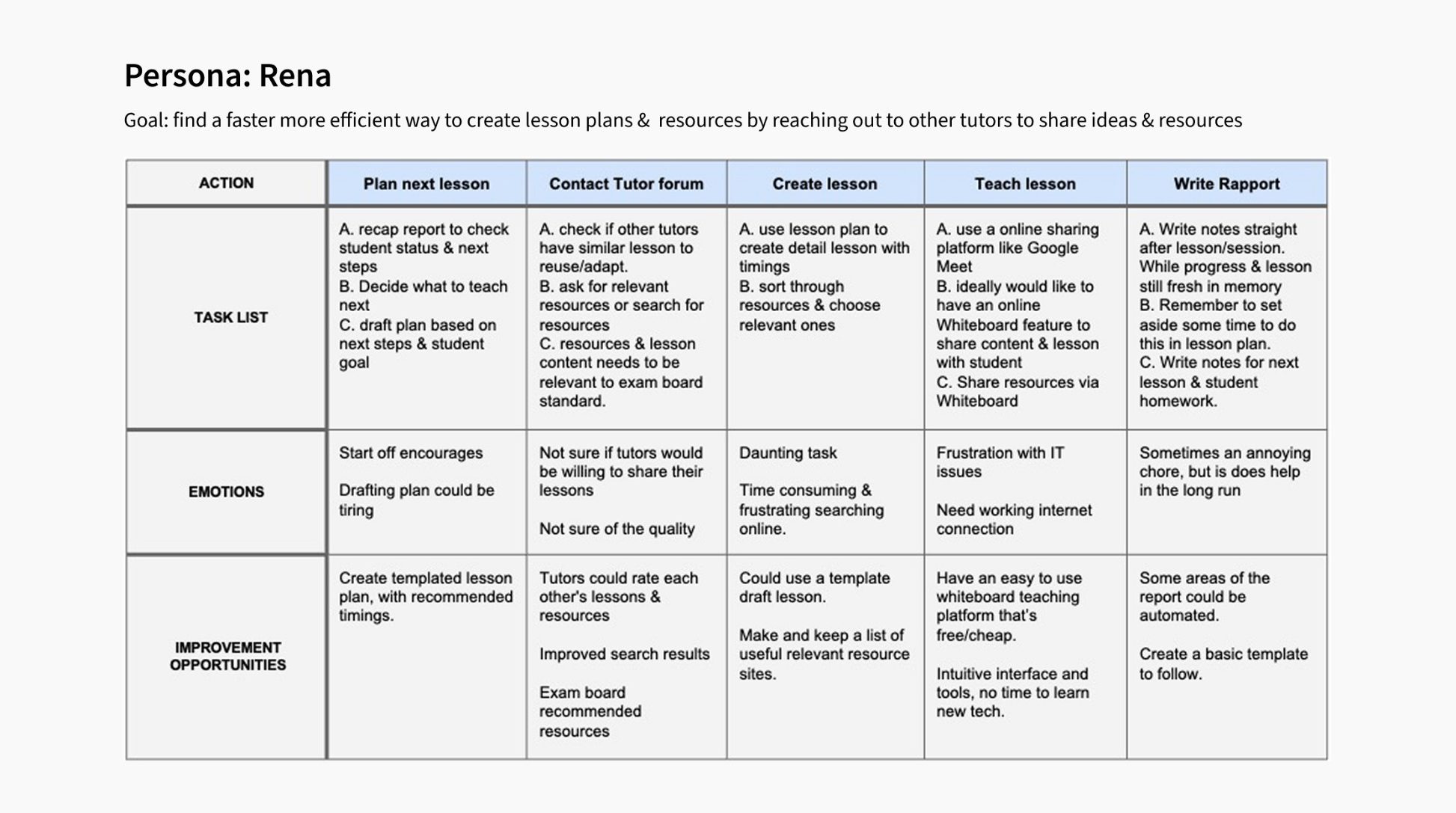
Site map
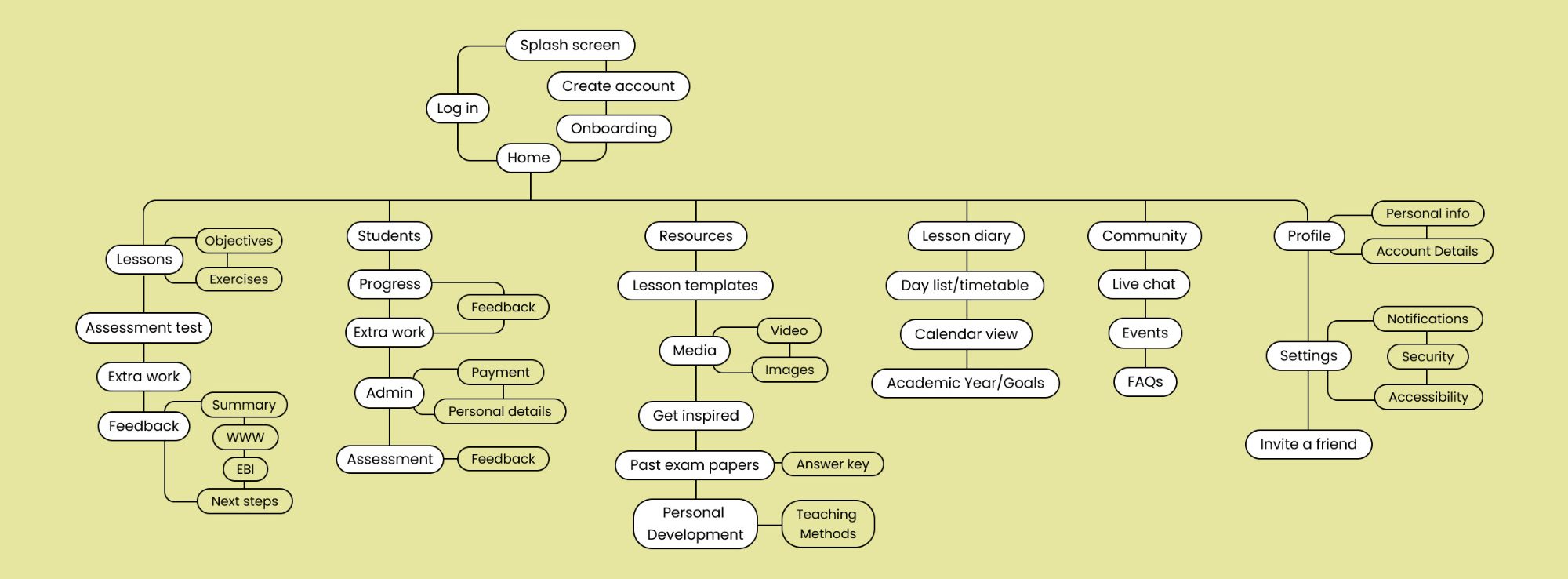
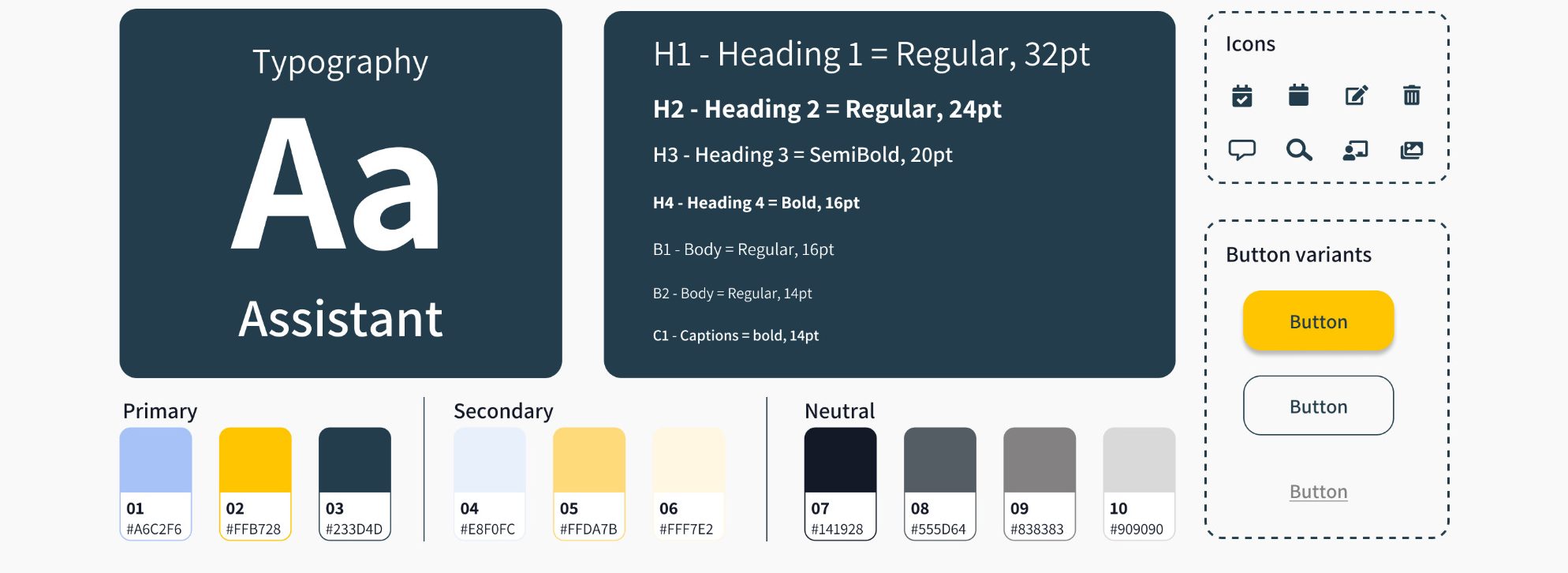
Design system
Design Process
I brainstormed solutions that moved beyond simple file storage. I looked at competitor products to see where they failed (they were often too cluttered or the product too expensive). Then I sketched out ideas for that answered the "Job to be done..." brief, by focussing on how the tutor might find the student progress and how they might edit a lesson to tailor it to their student's need.
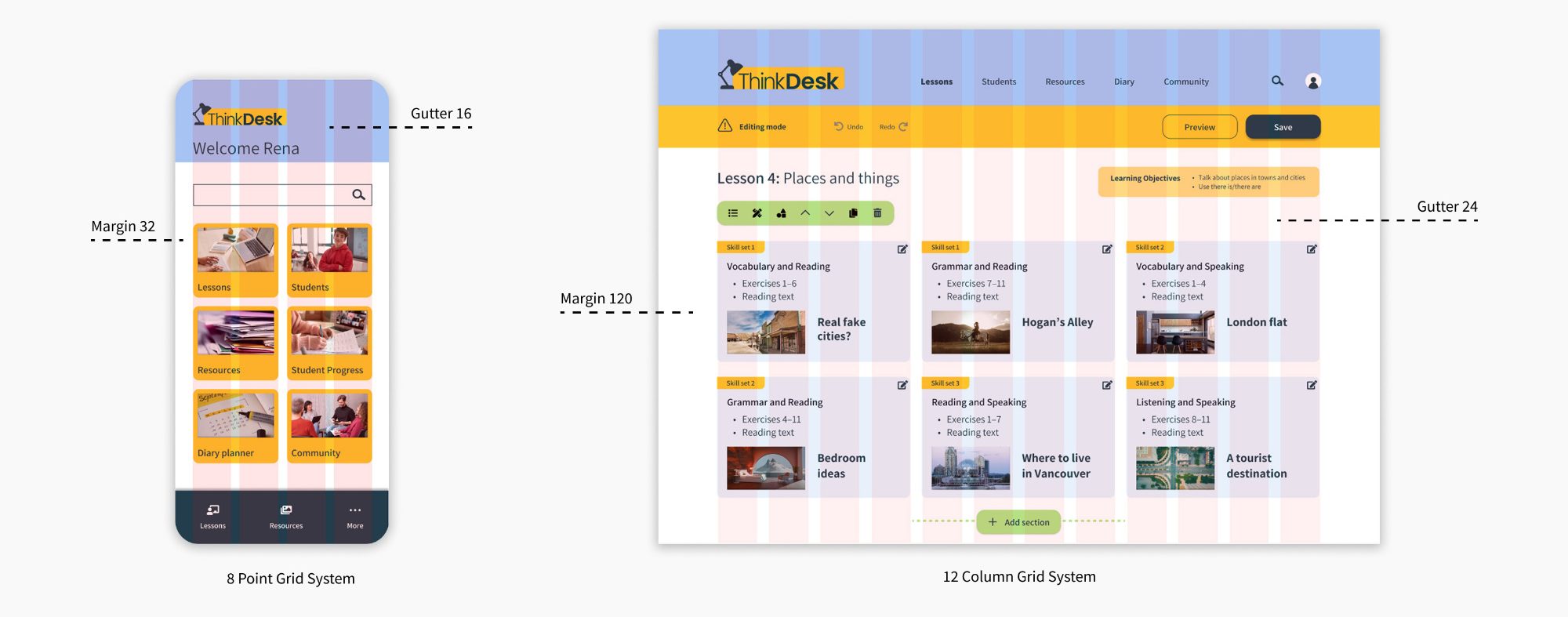
Spacing
Design
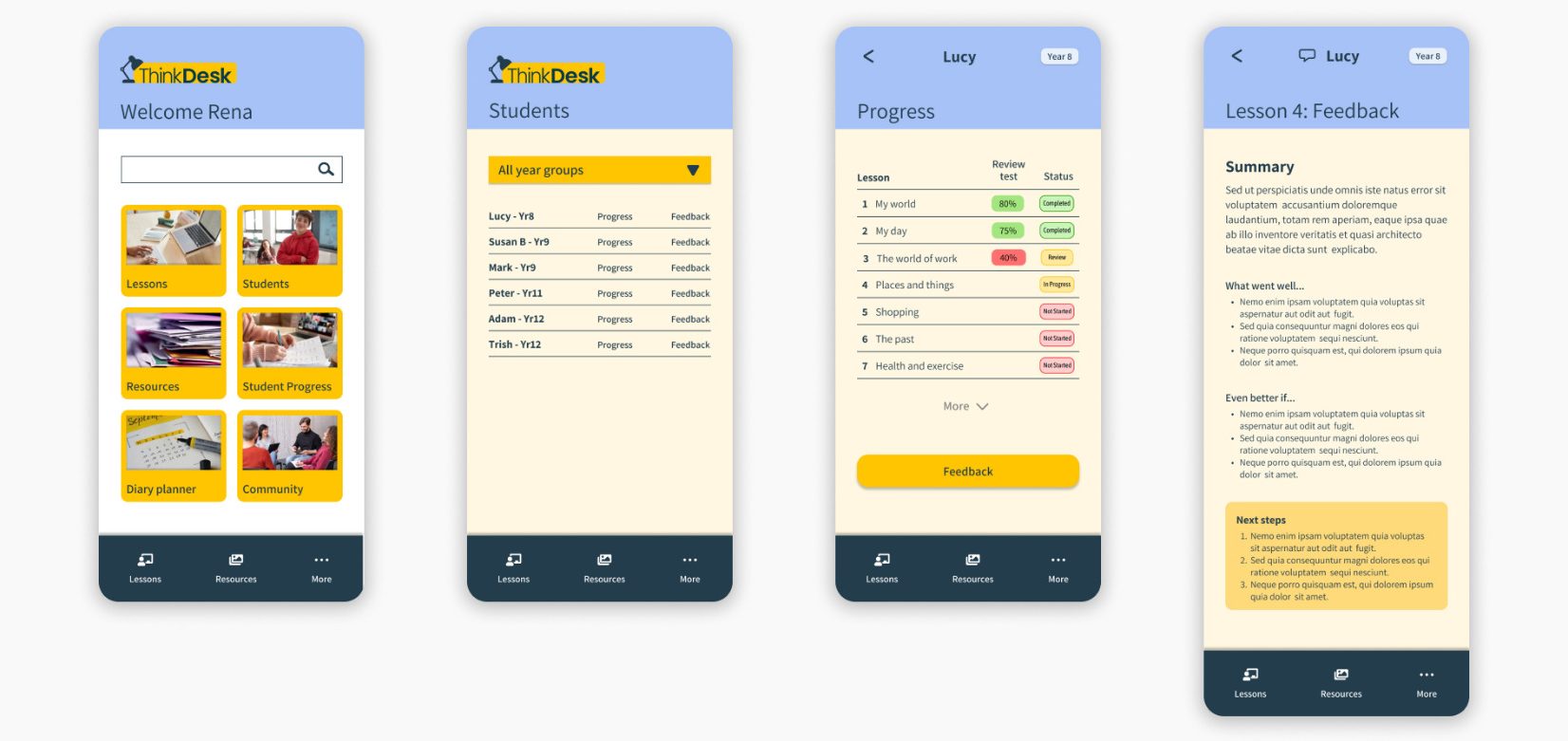
UI Screens - Student Progress
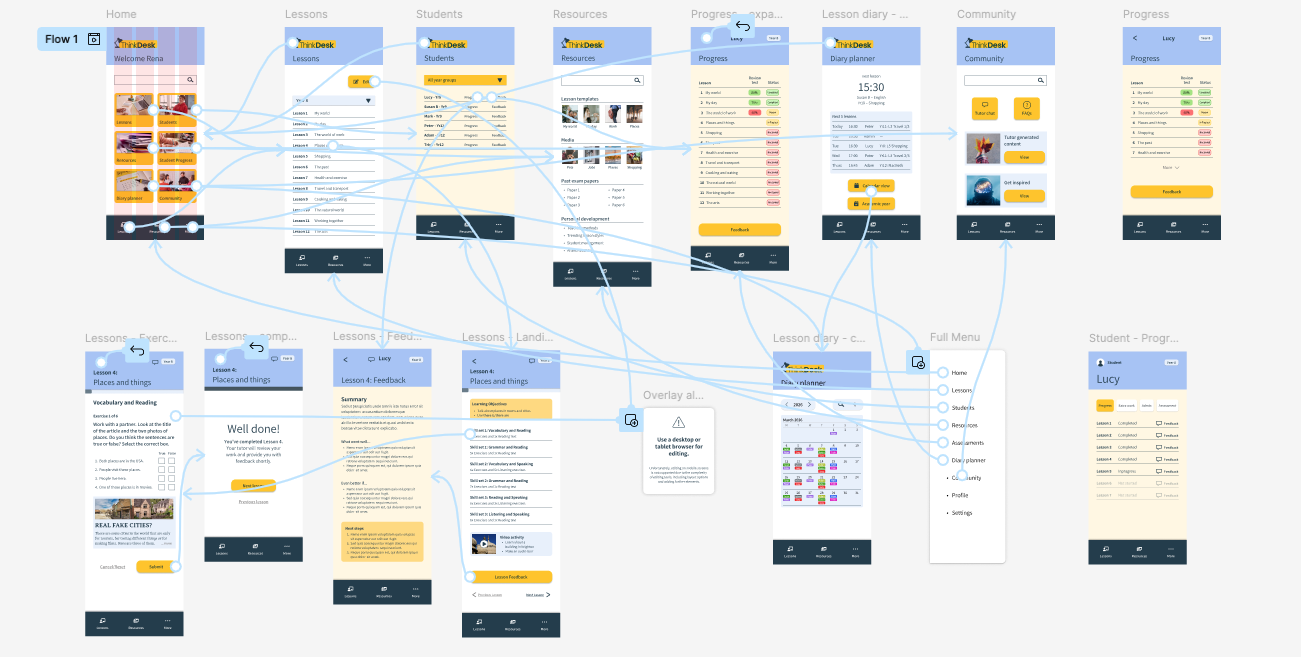
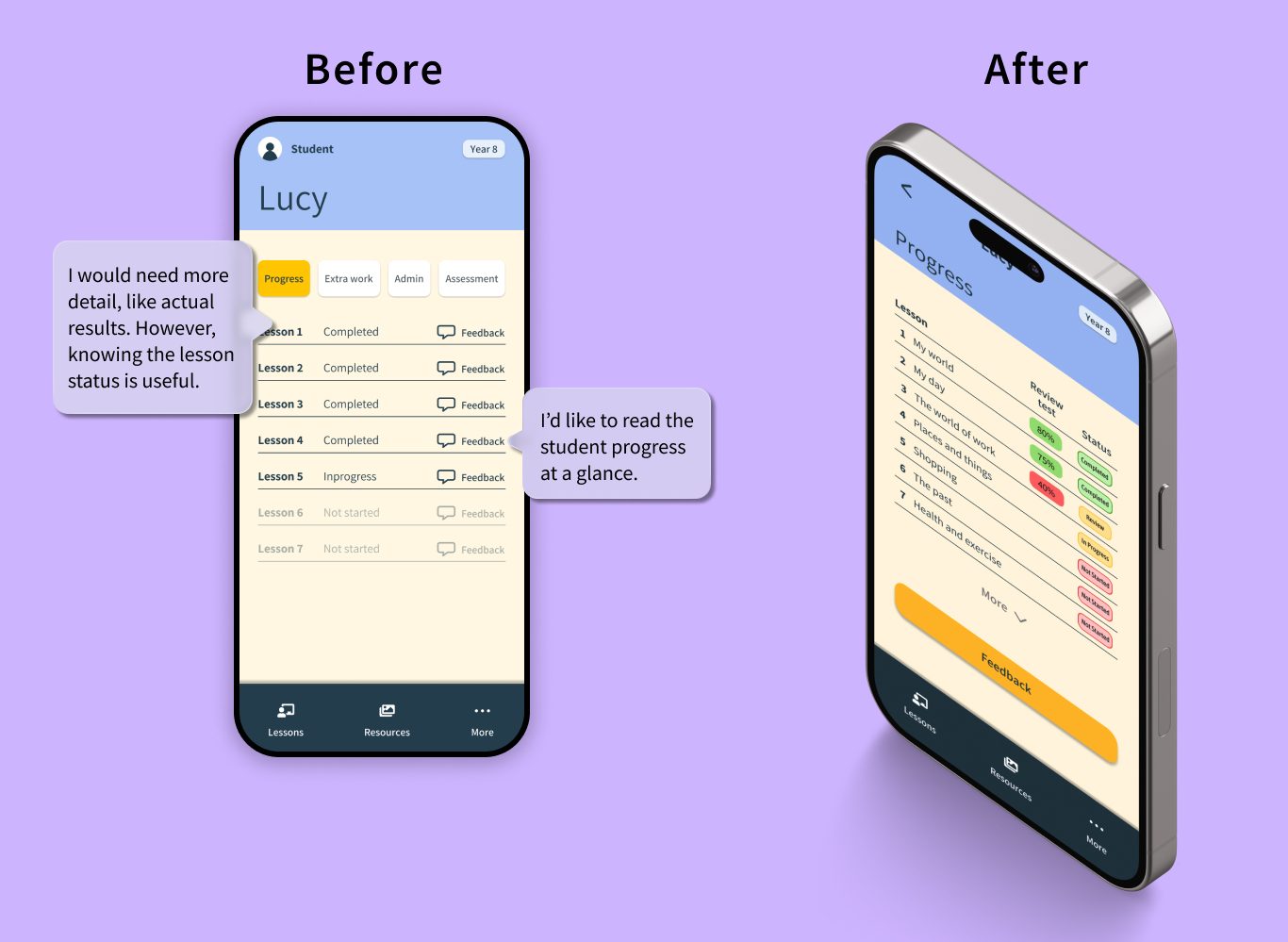
In this scenario the tutor (Rena) is trying to review her students' progress before setting their next lesson. She can decide to tap on the Student box where she finds a list of all her students. Each student has clickable progress and feedback text next to their names. Clicking on Progress opens a new page where the Review test results and lesson status are listed. Additionally the tutor can review the feedback she wrote after the last lesson. With this information easy to hand, she can decide if she would like to proceed with the next lesson, review the last lesson or edit and update the next lesson to address any topics the student's struggling with.
UI Screens - Editing a lesson
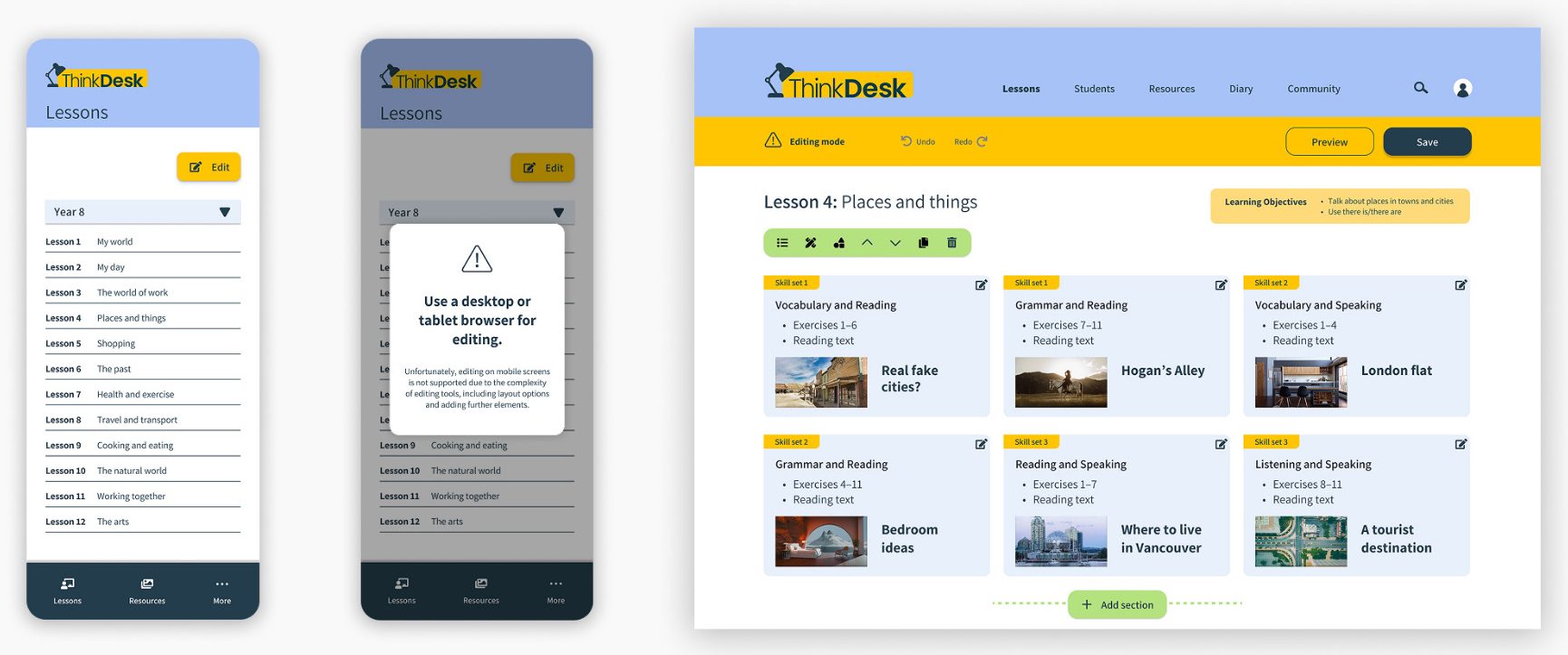
The user is presented with a list of standard lessons. They have the ability to edit any of these lessons by clicking the Edit button. Unfortunately editing is only possible on a desktop device due to the complexity of the editing tools, and a popup appears to stating this. The user navigates to the Lessons page on a desktop computer, clicks the Edit button and selects the lesson she would like to update for her student. She's presented with a screen showing the current lesson content and tools she can use to tailor the content. She can adjust the layout, items (like headings, images), replace images and text, move items up or down, as well as deleting and adding sections.
Usability testing
KPIs
• User is able to understand the features
• User is able to perform tasks with ease
• User can customise lesson easily
Users
The testing was done with
four users.
Location
Offline moderated usability test
Key Takeaways
Impact
- 30% reduction in prep time → increase in tutor income per month.
- Higher tutor retention → lower acquisition costs for the platform.
- Community features → increased engagement → monetisation potential.
- A tool like ThinkDesk addresses the "unpaid labor" of tutoring, potentially saving users hours of prep time every week.
What I learnt
This project taught me the importance of the "Empathise" stage. By listening to users, I was able to pivot from a "Booking App" (which they didn't need) to a "Productivity App" (which they desperately needed).
Next steps
1
Expand 'Progress' section to include AI generated tests based on the lesson completed.
2
Introduce rating and content upload for community growth.
3
Conduct further usability studies with both tutors and students to refine the progress log features.